One of the most frequent questions from modern day traders is: can you trade prop firms on mobile devices alone? With the rise of advanced trading apps and mobile prop firm dashboards, managing funded accounts from anywhere feels closer than ever.
However, execution, risk control, and platform availability play critical roles in deciding whether a mobile-only workflow is truly viable for prop firm challenges.
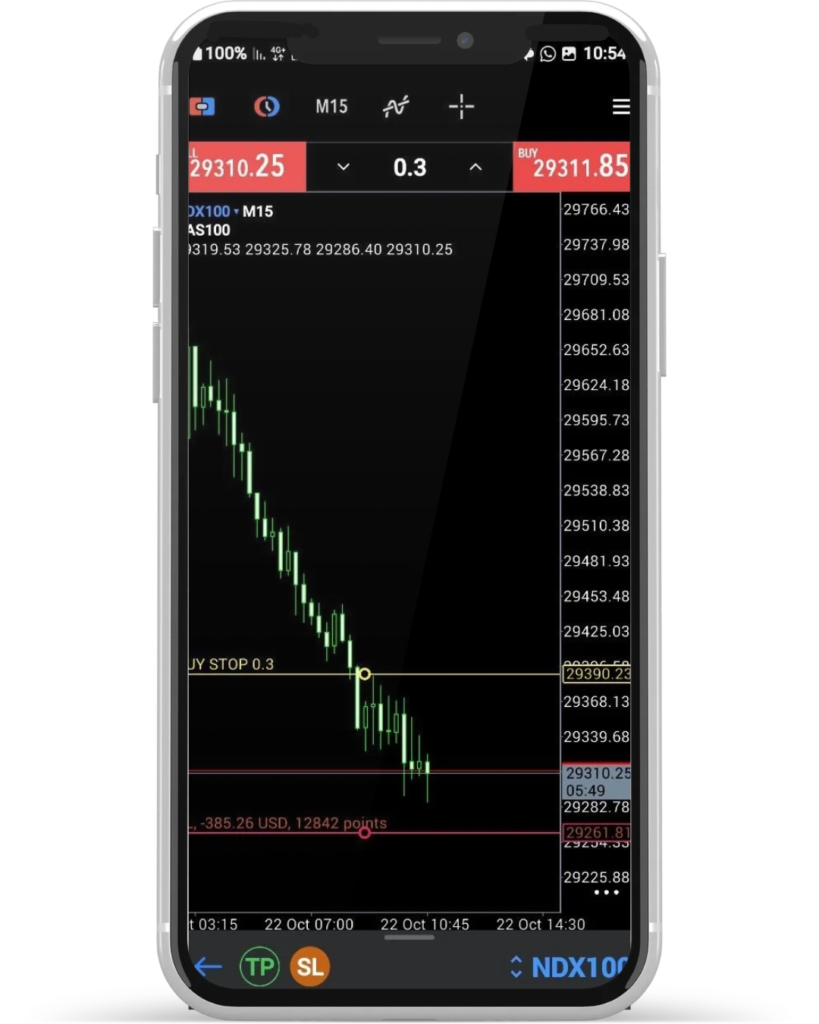
Can You Trade Prop Firms on Mobile Using MT4 and MT5?
The short answer is yes. Most leading proprietary trading firms fully support MetaTrader 4 (MT4) and MetaTrader 5 (MT5) mobile applications on both iOS and Android.
When you purchase an evaluation account, your firm provides login credentials that connect directly to the MT4 or MT5 app on your phone. Through these apps, you can easily open market orders, set pending orders, place Stop Loss and Take Profit levels, and monitor open positions in real time.
While specialized charting apps like Quantower or TradingView offer desktop-heavy features, execution on MT4 and MT5 mobile apps remains extremely stable and fast.
Key Advantages of Mobile Prop Trading
Trading funded accounts via a smartphone offers several distinct advantages for active traders:
Unmatched Flexibility: Monitor active setups, manage risk, and close trades during high-impact news without being glued to a desktop desk.
Instant Reaction Speed: Taking action through MT4 or MT5 mobile takes only a few seconds when market conditions change rapidly.
Emergency Risk Management: Having your prop firm account synced to your phone acts as a critical backup if your power or home internet fails.
The Operational Challenges of Going 100% Mobile
While executing trades is simple, relying strictly on a mobile device introduces noticeable hurdles during a prop challenge:
Limited Charting Analysis: Performing top-down Smart Money Concepts (SMC) analysis or identifying SMT Divergence is significantly harder on a small screen.
Risk of Over-Trading: Keeping your prop account in your pocket 24/7 increases psychological impulses to check charts constantly and take low-quality trades.
Lot Size Calculation Errors: Calculating exact risk parameters (like risking exactly 0.25% or 0.5% per trade) quickly on a mobile screen requires extra caution.
A Trader’s Practical Perspective: My Mobile Execution Workflow in MT5
In my personal day trading routine focusing on index futures, maintaining absolute control over risk is non-negotiable—especially when managing evaluation and funded accounts. While deep multi-timeframe analysis is done beforehand, executing directly from the MetaTrader 5 (MT5) mobile app requires a disciplined, structured protocol.
When I spot a valid setup on the go, I never rush into a blind market order. Instead, my mobile workflow relies on precision and pre-calculation:
Mapping via Pending Orders: Before entering any trade on MT5 mobile, I place a pending order to visually map my exact planned entry price.
Pre-Defining the Stop Loss: I immediately attach the Stop Loss level to the order based on structural invalidation points (such as swing highs or lows).
Risk Calculation & Leverage Adjustment: With the entry and Stop Loss clearly defined on the mobile interface, I calculate the exact monetary risk against my account size. If the natural distance to the Stop Loss requires too much capital exposure, I do not abandon the trade—I actively lower my lot size (leverage/volume) until the risk fits strictly within my target parameters (such as 0.25% to 0.5% per trade).
By forcing myself through this calculation step directly inside the MT5 mobile app, I enter every position knowing down to the exact dollar what my maximum risk is, entirely protecting my daily and maximum drawdown limits.
Essential Rules for Managing Prop Accounts on Mobile
If you choose to trade your prop firm evaluation primarily from a phone, follow these strict risk management guidelines:
Always Set Stop Loss Immediately: Never leave a market order open on mobile without a pre-calculated Stop Loss to avoid drawdown violations.
Use Price Alerts: Avoid staring at mobile charts continuously. Set alerts on TradingView so you only open your MT4/MT5 app when price arrives at your point of interest.
Verify Server Connection: Ensure your mobile network or Wi-Fi connection is stable before opening or closing trades.
Final Verdict: Is Mobile-Only Prop Trading Recommended?
You can definitely trade prop firm challenge accounts using MT4 and MT5 on mobile devices. However, using a smartphone purely as an execution and monitoring tool rather than an analysis platform yields much higher pass rates.
By combining disciplined risk calculation on mobile with fast MT4/MT5 execution, traders can protect their drawdown limits while enjoying complete trading freedom.
